
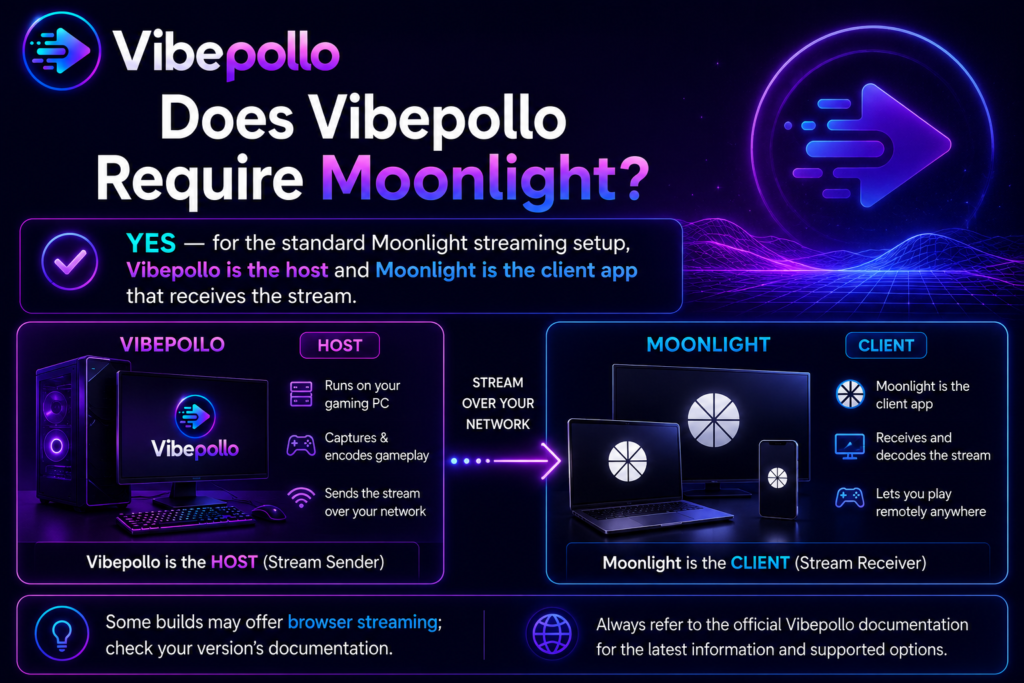
Yes, in normal use Vibepollo requires Moonlight — or a Moonlight-based client like Artemis. Vibepollo is only the host on your gaming PC; it does not play games on your TV or phone by itself, and its web interface is for managing the host, not for playing. Moonlight is the client that shows the video, plays the audio, and sends your controller, mouse, and keyboard input back to the PC.
In this guide, you will learn why this host-and-client pair works this way, which Moonlight and Moonlight-based clients work best with Vibepollo, how pairing works, and what actually happens if you try to use Vibepollo without a client at all, so you can set it up correctly the first time.
Read more: How to Fix Vibepollo Connection Issues?
The Short Answer, in One Table
| Part | What it is | What it does | Do you need it? |
|---|---|---|---|
| Vibepollo | Host, on your gaming PC | Runs the game, captures video, encodes it, accepts input | Yes — this is the host |
| Moonlight | Client, on the device you play on | Shows video, plays audio, sends controller/mouse/keyboard input back | Yes — in normal use, to play on another device |
| Web interface | Control panel, in your browser on the host | Manage display, games, devices, sessions, settings | Yes — to set up the host, but not to play |
| Artemis | Moonlight-based client, mainly Android | Same job as Moonlight, with extra optimisations | Optional alternative to Moonlight |
If you only remember one line from this post, remember this: Vibepollo without a client is a host with no screen to play on. Moonlight without a host is a client with no PC to play from. They work as a pair.
What Vibepollo Can Do Alone — And What It Cannot
Vibepollo alone, without Moonlight, is not useless — but it is not playable on another screen either. Here is the honest split:
What you CAN do with Vibepollo alone, through its web interface:
- Create your login and manage the host
- Choose your streaming display — physical monitor or virtual display
- Add games manually, or sync them from Playnite, Steam, or Lutris
- Manage devices and check sessions
- Tune smoothness, display, and recovery settings
- Update the host and check for new releases
What you CANNOT do with Vibepollo alone:
- Play a game on your TV, phone, tablet, laptop, or handheld from another room
- Send controller input from another device to your PC
- Watch the game’s video on any screen other than the host PC’s own monitor
That last point is the key clarification: you do not need Moonlight to play a game sitting at the host PC itself, on its own monitor, with a controller plugged into that PC. You need Moonlight when you want to play that same PC’s games on a different device. Vibepollo does not turn your TV into a gaming PC by itself — it turns your gaming PC into a server that a client can play from.
Which Clients Work With Vibepollo?
1. Moonlight — The Standard Client (Recommended for Most Users)
Moonlight is the free, open-source client that Vibepollo is designed to work with, following the same Sunshine and Apollo tradition. It is available for Android, iOS, Windows, macOS, Linux, and many TVs and handhelds.
For standard streaming — H.264, HEVC, and AV1 — standard Moonlight is all you need. It supports up to 4K, high frame rates, and HDR where your device, GPU, and game support them, along with mouse, keyboard, and gamepad input, including PlayStation, Xbox, and Android gamepads on supported clients.
If you are setting up Vibepollo for the first time, start with standard Moonlight. Only move to a specialised fork if you specifically want one of the advanced features below.
2. Artemis — The Moonlight-Based Client for Android
Artemis, previously called Moonlight Noir, is an open-source client for Apollo and Sunshine hosts, and it works in the same Moonlight family as Vibepollo. It is mainly an Android client, and it is described as the best fork of Moonlight for office-style use, with extra optimisations — and it pairs especially well with Apollo-style hosts that use virtual displays, which is exactly what Vibepollo is.
Choose Artemis if you are mainly playing on Android and you want those extra optimisations. Choose standard Moonlight if you want the simplest, most widely tested client across all platforms. Both speak the same Moonlight protocol to the host, so this is a preference choice, not a compatibility gamble.
3. The VRR Moonlight Client Fork — Advanced Only
For advanced features — PyroWave, the low-latency GPU codec, VRR capture pacing, and DualSense waveform haptics — Vibepollo’s documentation points to Nonary’s VRR Moonlight Client fork. Standard Moonlight clients still work for regular H.264, HEVC, and AV1 streaming, but they do not unlock those advanced features.
Do not start with this fork. Start with standard Moonlight, get a smooth stream at 1080p60, and only try the VRR fork later if you specifically want PyroWave or VRR pacing and you have a fast wired network to support them.
What Does NOT Work as a Vibepollo Client?
- A web browser alone. You cannot play Vibepollo games by opening the web interface in a browser and expecting gameplay there. The web interface manages the host; it is not a game client.
- A different streaming protocol’s client. A client built for a different protocol — for example a Steam Remote Play-only client — is not a Moonlight client, and it will not pair with a Vibepollo host. The host and client must speak the same Moonlight protocol.
- No client at all, on another device. There is no built-in “play on TV without an app” mode. The other device needs Moonlight or a Moonlight-based client installed.
How Pairing Works, Step by Step
Pairing is a one-time handshake that proves your client is allowed to control your host. It is not complicated, but it must be done in order:
- Install Vibepollo on your gaming PC and finish the web interface setup. See How to Download Vibepollo for Windows?
- Install Moonlight — or Artemis, if you chose it — on the device you want to play on.
- Put both devices on the same local network for the first pairing. Remote pairing comes later, once local pairing works.
- In Moonlight, select your PC. It will show you a PIN.
- Type that PIN into the Vibepollo web interface to pair the two.
- Pick a game in Moonlight and start playing. Test at 1080p60 first, then go higher if it is smooth.
If Moonlight cannot see your PC, or pairing fails, do not change encoder settings first. Check that the host is awake, that both devices are on the same network, that Vibepollo was allowed through Windows Firewall on private networks, and that only one streaming host is running. Those four checks fix most pairing problems.
Remote Monitor and Remote Input: Moonlight Features, Not Separate Apps
Vibepollo has two features that are easy to misunderstand, because they also come through Moonlight:
- Remote Monitor: Launch Remote Monitor from Moonlight on another device to turn it into an additional, independently streamed display beside your main session. Remote Monitor entries can have their own settings, and on Windows you can save how client displays are arranged relative to each other.
- Remote Input: Attach a client for control without video. That is useful when you want to control the host from another device without opening a full video stream.
Both are Moonlight-side features that work with the Vibepollo host. They do not change the basic answer: you still need a Moonlight-based client. They just give that client two extra jobs beyond normal gameplay.
What Happens If You Try Vibepollo Without Moonlight?
Nothing breaks, but nothing plays on another screen either. Here is exactly what happens, step by step:
- Vibepollo runs on your host PC. Its web interface opens. You can manage display, games, and settings.
- Your TV, phone, or handheld shows nothing from Vibepollo, because no client is asking the host for a stream.
- No controller input from another device reaches your PC, because no client is sending it.
- Your games still run normally on the host PC itself, on its own monitor, with a controller plugged into that PC — because that was never a streaming session in the first place.
In other words, “without Moonlight” does not mean “broken.” It means “not streaming.” If your goal is to play in another room, that is the same as not working — but it is important to understand why, so you do not waste time reinstalling the host when the missing piece is actually the client.
Conclusion
Yes, Vibepollo requires Moonlight in normal use — or a Moonlight-based client like Artemis for Android, or the VRR Moonlight fork for advanced PyroWave and VRR features. That is not a limitation or a hidden cost. It is how this whole family of tools was designed: Sunshine started it, Apollo added virtual displays, Vibepollo polished the host experience, and Moonlight remains the client that turns a powerful PC in one room into a game you can play on any screen in your house.
Install the host once, pair Moonlight once with a PIN, test one game at 1080p60, and you have the pair working. From there, everything else — higher resolutions, HDR, Playnite sync, virtual displays — is just tuning a setup that already works.