
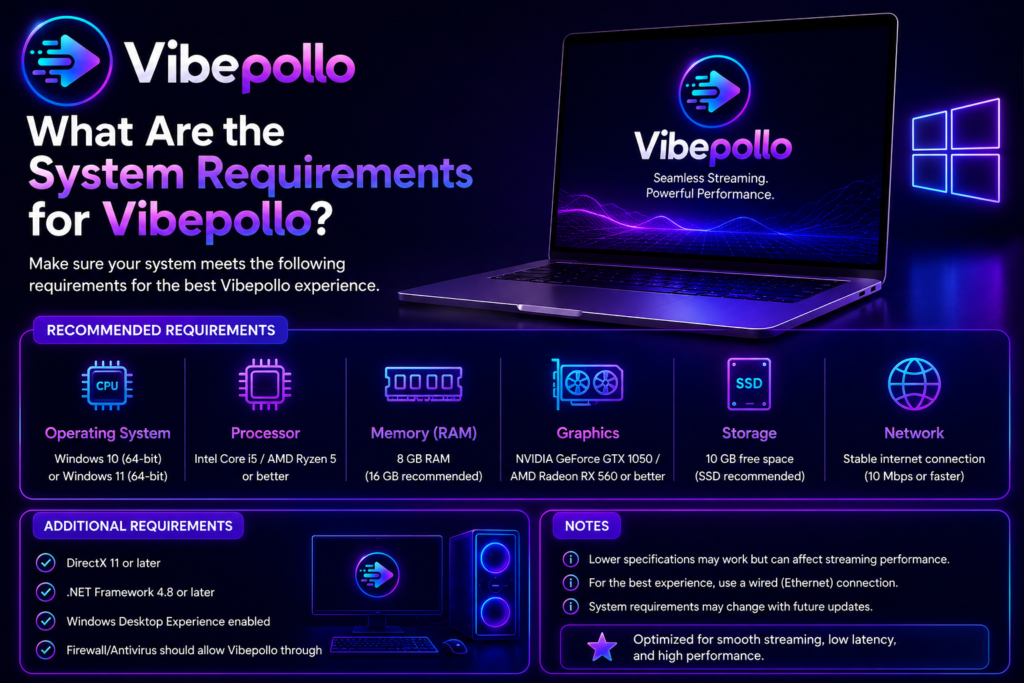
Vibepollo does not need a supercomputer, but it does need the right kind of PC: a Windows gaming PC with a modern GPU that can encode video in hardware, a device that can run Moonlight, and a stable network between them. If your PC already runs your games smoothly, it can usually stream them too — the encoder and the network matter more than raw CPU power, and a weak network will ruin a stream faster than a slightly older processor will.
In this guide, you will get a practical host, client, network, and Linux beta checklist, so you can check your setup in two minutes, before you download anything, instead of installing first and troubleshooting later.
Read more: Is Vibepollo Safe to Use?
One Honest Note Before the Lists
Vibepollo does not publish a single, neat official spec table with exact CPU models and RAM numbers, the way a commercial game does. So the lists below are practical guidance based on how Vibepollo, Sunshine, Apollo, and Moonlight actually work — not invented official minimums.
That honesty matters. The old version of this post gave generic browser-platform advice and admitted it had no verified specs. This version does the opposite: it gives you the requirements that are actually verified — Windows-first host, hardware encoding, Moonlight client, stable network, and the specific Linux beta limits — and it labels the rest as practical recommendations, not official numbers.
Use the checklist at the end. If you tick every “must have” item, you are ready. The “recommended” items are what turn a working stream into a smooth one.
Host Requirements: Your Gaming PC
The host is the PC that runs your games and encodes the video. This is where requirements matter most.
Must have:
- A Windows gaming PC. Vibepollo is Windows-first. This is the main, stable host. Linux is a separate beta, covered below.
- Admin access. The installer needs permission to install the host, its virtual display driver, and its virtual gamepad driver.
- A modern GPU with hardware video encoding. This is the single most important host requirement. NVIDIA NVENC, AMD AMF, or Intel Quick Sync will encode your stream smoothly. CPU-only encoding is a last resort, not a plan — it will struggle, especially at higher resolutions.
- Up-to-date GPU drivers and Windows updates. Old drivers are a top cause of black screens, encoder errors, and streams that worked last week and fail today.
- Enough storage for your games. The Vibepollo Windows package itself is only around 32 MB, but your games still need their normal storage. Install your games where they already run well.
- Power settings that keep the PC awake. A PC that sleeps mid-game will kill your stream. Set it to stay awake while you are streaming.
Recommended:
- Ethernet on the host PC. A wired host removes the biggest source of stutter. Wi-Fi can work, but wired is the recommendation for a reason.
- A GPU that already runs your games at the resolution you want to stream. If a game struggles at 1440p on your PC, it will not magically run better when streamed at 1440p.
- An SSD for your games. This is a general gaming recommendation, not a Vibepollo requirement, but it helps load times and reduces hitches.
Not required:
- A monitor attached to the host. Vibepollo’s bundled virtual display driver can create a virtual screen at your client’s resolution, so a headless PC can stream properly.
- A second PC, a paid subscription, or a license key. Vibepollo is free and open source.
Client Requirements: The Device You Play On
The client is the device you play on — TV, phone, tablet, laptop, or handheld. Its job is much lighter than the host’s job, because it only decodes video and sends input back.
Must have:
- Moonlight installed. Vibepollo is the host, Moonlight is the client. Moonlight is free and available for Android, iOS, Windows, macOS, Linux, and many TVs and handhelds.
- A display that can show the stream. Any modern phone, tablet, laptop, or TV screen works. The virtual display on the host will match your client’s resolution where possible.
- A way to control the game. A controller, a mouse and keyboard, or a touch screen, depending on your device and game. Vibepollo’s built-in virtual gamepad driver on Windows handles controller emulation on the host side in most cases, without needing ViGEmBus separately.
Recommended:
- A controller for action games. Touch controls work for some games, but a real controller is far better for anything fast-paced.
- A wired or strong 5 GHz Wi-Fi connection on the client. Even if the host is wired, a weak client connection will still stutter.
- A device that can decode H.264 or HEVC smoothly. Most modern phones, tablets, TVs, and laptops can. Very old devices may struggle at 4K even if the host is powerful.
The client does not need a gaming GPU, a gaming CPU, or a lot of storage. That is the whole point of streaming: the host does the heavy work.
Network Requirements: The Part People Underestimate
Your network decides how smooth the stream feels, more than almost any other single factor.
Must have:
- Host and client on the same local network for first pairing. Pair Moonlight with a PIN on your home network first, before you try remote streaming.
- A stable connection, not just a fast headline speed. A connection that drops or spikes in latency will feel worse than a slightly slower but stable one.
Recommended:
- Ethernet for the host, and Ethernet or strong 5 GHz Wi-Fi for the client. This combination gives most users their best result.
- Wi-Fi 6 on 5 GHz if you must use Wi-Fi. Avoid crowded 2.4 GHz Wi-Fi for game streaming where you can.
- Start at 1080p at 60 FPS. Get that smooth first, then try 1440p, 4K, or 120 FPS. A stable lower resolution always feels better than a stuttering higher one.
- A private network method you understand for remote play. If you stream from outside your home, use a VPN or private network setup you control, rather than opening your host to the public internet without thinking.
Not a requirement:
- Gigabit internet from your provider. Your local network matters more for home streaming than your internet plan’s headline speed, because the video does not need to leave your house on a local stream.
Linux Beta Requirements: Much Narrower
Linux support is a beta, and its requirements are specific. Do not apply the Windows list to Linux and assume it will work.
Must have for the Linux beta:
- Arch Linux or CachyOS only. No Ubuntu, Mint, Debian, Fedora, AppImage, Flatpak, or Docker build is part of this beta.
- Linux kernel 6.16 or newer, with matching kernel headers.
- KDE Plasma 6 on Wayland, started by SDDM or Plasma Login Manager. This is the tested desktop setup.
- A GPU with hardware H.264 encoding. Testing has focused on NVIDIA and modern AMD GPUs. Older cards may not work properly.
- A Moonlight client, just as on Windows.
Linux beta limits to know before you install:
- Pre-login streaming is NVIDIA-only. AMD and Intel hosts stream after desktop login.
- Updates come through a signed pacman repository with a DKMS display driver.
- SteamOS is a separate, experimental bundle, not just another supported Linux install.
If you do not meet the Linux beta list, use Windows as your host for now. That is not a failure — it is the supported path while the beta matures.
2-Minute Checklist: Are You Ready?
Tick these off. If every “must have” box is ticked, you are ready to install.
Host:
- Windows gaming PC with admin access
- Modern GPU with hardware encoding (NVENC, AMF, or Quick Sync)
- GPU drivers and Windows up to date
- PC set to stay awake while streaming
Client:
- Moonlight installed on your TV, phone, tablet, laptop, or handheld
- Controller, mouse and keyboard, or touch controls ready
Network:
- Same local network for first pairing
- Ethernet on the host if possible, strong 5 GHz Wi-Fi otherwise
- Plan to start at 1080p60, then go higher only if smooth
Linux only (if applicable):
- Arch or CachyOS, kernel 6.16+ with headers, KDE Plasma 6 on Wayland, hardware H.264 encoder
If a box is unticked, fix that box first. Installing Vibepollo will not fix a missing GPU encoder, a sleeping PC, or a weak network — it will just show you the same problem in a new place.
If Your PC Does Not Meet the Requirements
Do not give up immediately. Try these in order:
- Update your GPU driver and Windows. This fixes more “requirements” problems than any upgrade.
- Wire the host with Ethernet. This alone can turn a stuttering stream into a smooth one.
- Drop to 1080p60. Lower resolution and frame rate need far less encoding and network headroom.
- Close background recording and streaming apps. Another app fighting for the encoder will hurt your stream.
- Use Windows as your host if you are on an unsupported Linux distribution. The Windows host is the stable path while Linux support widens.
If your GPU has no hardware encoder at all, or your PC cannot run the game itself smoothly, then streaming will not fix that — the host still has to run and encode the game. In that case, the honest answer is a hardware upgrade, not a settings tweak.
Next Step After Checking
If you ticked the checklist above, you are ready to install. The Windows install takes less than five minutes from a trusted source, and the two mistakes to avoid are downloading the wrong zip file and blocking the firewall prompt.
See How to Download Vibepollo for Windows?
Conclusion
Vibepollo’s system requirements are simple once you stop looking for a browser-style spec list: a Windows gaming PC with a hardware encoder, a Moonlight client, and a stable network. That is the core. Everything else — Ethernet, updated drivers, 1080p60 first — is what turns a working stream into a great one.Check the list, fix the unticked boxes, and only then install. Two minutes of checking now will save you an evening of troubleshooting later.Start from the Vibepollo homepage for the download pages and guides, and check the official project for the latest releases before you install.